

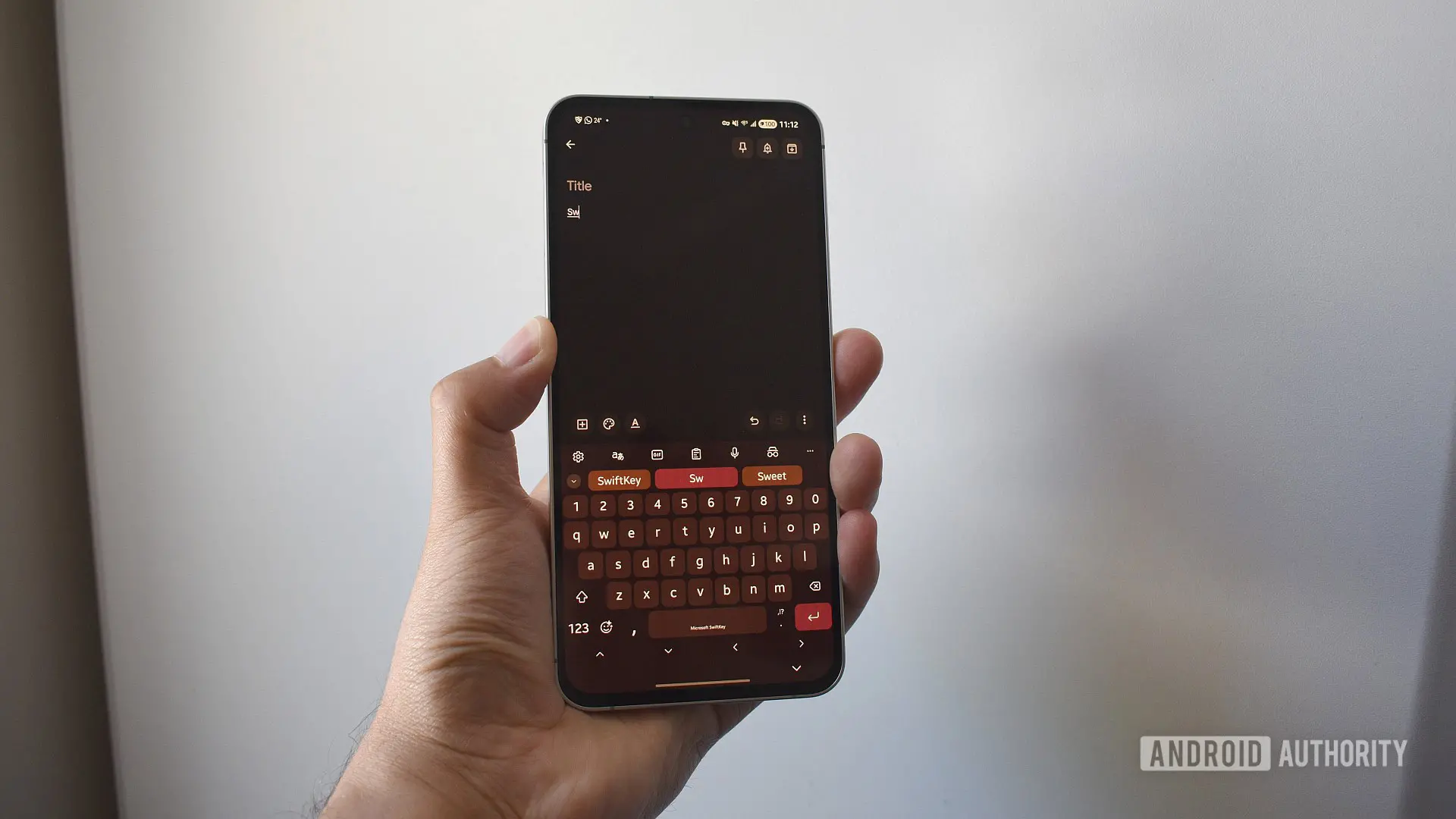
Microsoft has set a firm deadline for SwiftKey users who rely on Google or Apple accounts for backup and sync. Starting tomorrow, May 31, the company will stop supporting third-party login backups, meaning any data stored under a Google or Apple account will be permanently deleted unless exported and transferred to a Microsoft account. This change has been anticipated for months, as Microsoft gradually pushed users toward OneDrive-based backup solutions.
What Data Will Be Lost?
SwiftKey's backup system stores two critical components: your personal dictionary and an adaptive prediction model. The personal dictionary includes every custom word, abbreviation, and even non-dictionary terms you've typed (like acronyms or names). The prediction model learns your typing habits—swipe patterns, common phrases, and frequently used words—to offer faster, more accurate suggestions. Without a backup, reinstalling the app or switching devices would reset all this personalized intelligence, forcing you to retrain the keyboard from scratch.
For users who rely heavily on swipe-to-type gestures, this loss is especially disruptive. SwiftKey's swipe engine, refined over 15 years, learns your unique finger movements and vocabulary. Losing that model means slower typing and more corrections until the keyboard re-learns your habits.
Why Is Microsoft Doing This?
Microsoft acquired SwiftKey in 2016 and has since gradually integrated it into its ecosystem. The shift from third-party logins to Microsoft accounts aligns with broader corporate strategy to centralize user data under its own services, particularly OneDrive and Microsoft Account. This move also reduces dependency on competing platforms like Google and Apple, while giving Microsoft better control over data synchronization and security. Although the transition has been announced well in advance, many users have delayed the switch, with the final deadline now imminent.
Similar consolidation is common across technology companies—Google, for instance, has deprecated some third-party sign-in options for its services. However, Microsoft's approach has been relatively smooth, offering a dedicated data portal for export and a clear migration path. The company also sweetened the deal with up to 1,000 Microsoft Rewards points for those who complete the transition, which can be redeemed for Xbox store credits, online store discounts, or charitable donations.
Step-by-Step Migration Guide
To avoid losing your SwiftKey data, follow these steps before the deadline passes:
- Open a web browser and navigate to the Microsoft SwiftKey data portal. Alternatively, on your phone, go to SwiftKey's settings, then tap Account > View and manage your data.
- Select the account provider you currently use (Google or Apple) and sign in if prompted.
- Tap View data to see your entire personalized dictionary and prediction model details.
- Use the Export all option to download your data as a file. Keep this file safe—it contains years of typing history.
- If you don't already have a Microsoft account, create one at account.microsoft.com.
- Log in to OneDrive with your new Microsoft account. Navigate to Apps > SwiftKey (create the folder if necessary).
- Upload the exported file into that folder.
- On your SwiftKey app, open Settings, go to Account, and sign in with your Microsoft account.
- Your personal dictionary should sync automatically. If you don't see custom words or predictions, manually check the OneDrive SwiftKey folder and ensure the file is present and correctly named.
For users who prefer manual note-taking, the data portal also displays your word list, but exporting is far more efficient—especially if you have hundreds of custom entries.
What About Apple Account Users?
The same deadline applies to Apple login backups. Users who signed in with their Apple ID will lose their SwiftKey data if they don't migrate. The export process is identical; simply select Apple as your current provider and follow the steps above. Note that Apple's privacy measures may require additional authentication during the data export.
Impact on Daily Use
Even if you skip the migration, SwiftKey will continue to function as a keyboard. You'll still be able to type, swipe, and use built-in features like clipboard and emoji search. However, the Backup & Sync option will become unavailable. Any new custom words you add after May 31 will remain only on the device where they were typed. If you factory reset your phone, buy a new device, or uninstall and reinstall SwiftKey, those words will be gone forever. The prediction model also won't sync, meaning you'll start from scratch on each new device.
This is particularly problematic for multilingual users. SwiftKey supports over 300 languages and allows you to switch between keyboards seamlessly. If you frequently type in multiple languages, your personalized dictionary for each language is at risk. Losing that could force you to manually enable and train each language pack again.
Historical Context and Alternatives
SwiftKey has been a leading third-party keyboard since its launch in 2010, known for its accurate swipe typing and contextual predictions. Microsoft's acquisition brought deeper integration with Windows and Office, but also increased reliance on the Microsoft ecosystem. Competitors like Gboard (Google) offer similar backup via Google Drive, but remain tied to Google accounts. Apple's built-in keyboard syncs via iCloud, but lacks the flexibility of SwiftKey's customization. The loss of cross-platform backup options may prompt some users to evaluate other keyboards, but for those invested in SwiftKey's learning engine, the migration is worthwhile.
Some users have raised concerns about data privacy when moving to a Microsoft account. Microsoft's privacy policy allows data collection for service improvement, but users can opt out of personalized ads and limit data sharing. The exported file itself contains only text-based dictionary entries, not keystroke logs or sensitive content like passwords. Unless you typed passwords using SwiftKey (which is discouraged), your personal dictionary likely contains innocuous words like names, slang, or technical terms.
Last-Minute Tips
If you haven't started the migration, time is extremely short. The backup portal may experience high traffic as the deadline approaches, so prioritize exporting your data immediately. Once the deadline passes, Microsoft will delete the backup files, and there is no way to recover them. Keep a copy of the exported file locally and store it on multiple devices (email it to yourself or save it to a cloud service other than OneDrive). After migration, test the sync by typing a new custom word on one device and checking if it appears on another after a few minutes.
Microsoft Rewards offers additional incentive: you can earn points simply by completing the migration. Check the SwiftKey settings after signing in with your Microsoft account—there may be a prompt or a link to claim your reward points. Even if you don't use Rewards, the points can be donated to charity, which is a small consolation for the forced migration.
The deadline of May 31 is firm; Microsoft has not indicated any further extensions. Taking a few minutes today can save years of personalized typing data. Act now to ensure your SwiftKey experience remains seamless across all your devices.
Source: Android Authority News