

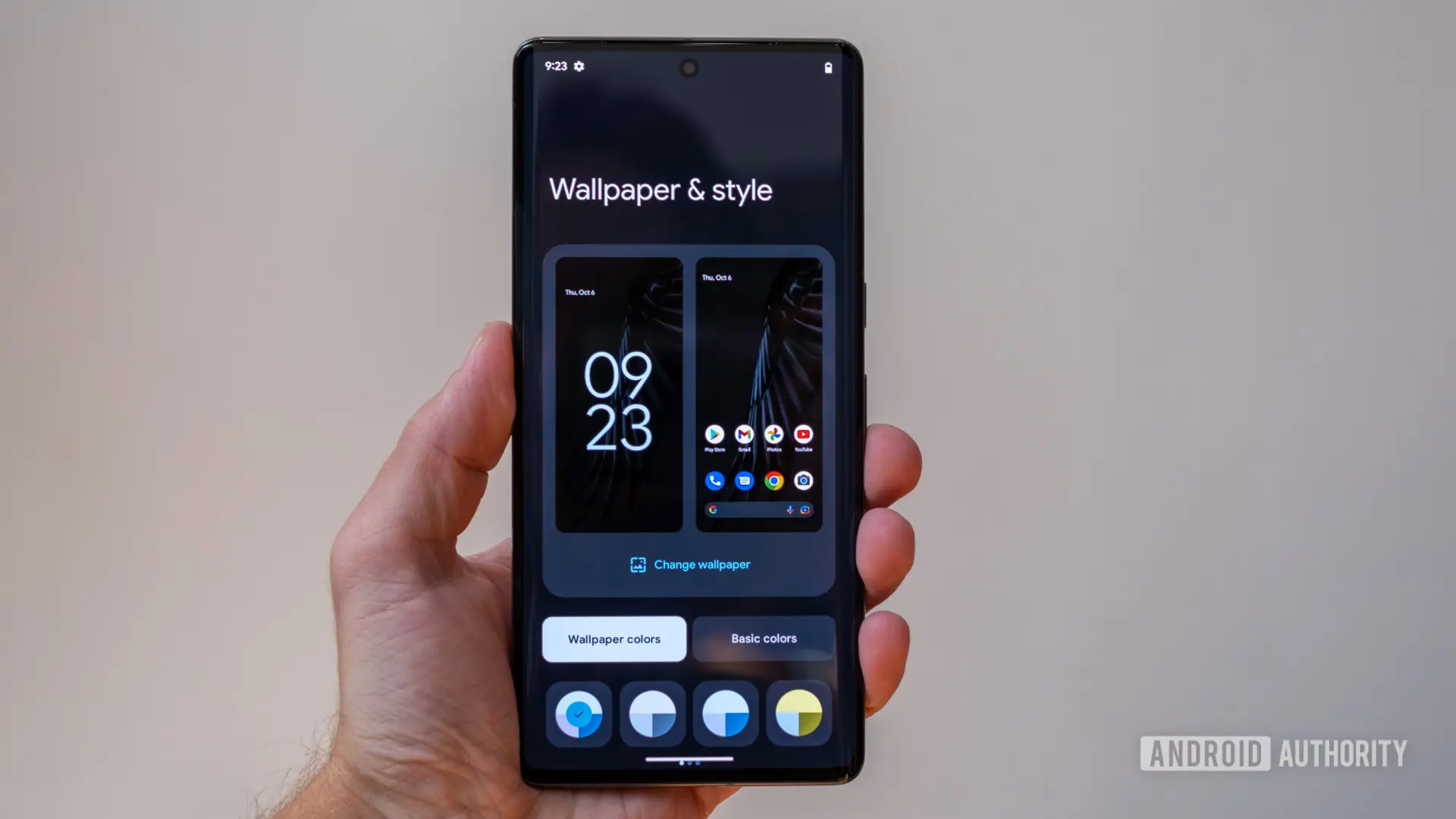
Google's Material You design language, first introduced with Android 12, has long been praised for its dynamic theming capabilities but also criticized for its lack of customizability. Currently, Pixel users are limited to a handful of automatically generated color palettes based on their wallpaper, plus a few additional preset shades under 'other colors.' However, a new leak suggests that this is about to change in a major way, potentially giving users full control over the accent colors that define the Android experience on Pixel devices.
The leak, shared by Telegram-based leakers Mystic Leaks, reportedly comes from an early build of a future Android 17 release. While Android 17 is expected to arrive later in 2025, the features shown may not make it to the initial stable release. Instead, they could be saved for a quarterly update like Android 17 QPR1. The video demonstrates two significant upgrades to the Wallpaper & style settings, which is the central hub for customizing the home screen, lock screen, themed icons, and system-wide color palette on Pixel phones.
New Color Intensity Presets
The first addition is a set of color intensity presets that allow users to dial in their preferred level of vibrancy. The leak shows four options: Neutral, Soft, Bright, and Bold.
- Neutral appears to tone down everything with gray shades, creating a more subdued and professional look reminiscent of classic Android or stock interfaces. This could appeal to users who find Material You's automatic colors too overwhelming.
- Soft keeps colors subtle and pastel-like, offering a gentle touch without fully desaturating the interface.
- Bright makes the interface more vibrant, enhancing the saturation of accent colors across icons, buttons, menus, text highlights, and quick settings tiles.
- Bold introduces stronger multi-color accents that are not limited to a single dominant hue. This could create a more dynamic and playful aesthetic, similar to what some third-party launchers offer.
These presets would give users a quick way to alter the overall feel of the system theming without diving into fine-grained controls. They represent a middle ground between automatic generation and full manual selection, allowing for quick adjustments based on mood or wallpaper choice.
Custom Accent Color Picker with Sliders
The second and arguably more exciting change is the introduction of a full color picker. The leak shows sliders that let users manually choose their own accent colors from a wide spectrum. As users drag the sliders, Android previews the changes in real time across the interface elements shown in the settings menu. This is a fundamental shift from the current approach, which relies on Google's algorithm to pick a few shades from the wallpaper and present them as options.
For years, power users and theming enthusiasts have requested the ability to specify exact accent colors. Some have turned to third-party apps or ADB commands to override the system palette. With a built-in color picker, Google would be addressing one of the most persistent complaints about Material You: that its customization is too limited and often produces colors that clash with the user's preferred wallpaper or personal style.
The addition of a color picker also aligns with broader trends in mobile OS customization. Both iOS and many Android skins from manufacturers like Samsung have offered granular color controls for years. Google's Pixel line, despite being the showcase for Android's design direction, has lagged behind in this area.
Background: The Evolution of Material You
Material You, also known as Material Design 3, debuted in Android 12 with the promise of a more personalized and adaptive interface. Its core concept is that the system extracts color palettes from the user's wallpaper and applies them to the entire OS, creating a cohesive visual experience. This was a major step forward from the static themes of earlier Android versions, but it quickly became clear that users wanted more control.
With Android 13, Google added themed icons for all apps, but the color palette remained tied to wallpaper extraction. Android 14 introduced a few more preset palette options but still no manual picker. Android 15 and 16 continued to refine the system with minor tweaks but kept the same fundamental limitation. Now, with Android 17, it seems Google is finally ready to give Pixel users the control they've been demanding.
The leak also hints at additional blur effects across the Android UI, which could further enhance the visual depth of Material You. Blur effects have been used sparingly in stock Android compared to other operating systems like iOS, where translucency is a hallmark of the design language. Combining blur with custom colors would allow for even more sophisticated theming.
Implications for Pixel Users and the Android Ecosystem
If these features come to fruition, Pixel phones would become even more attractive to customization enthusiasts. The ability to set a specific accent color—say, a corporate blue for work profiles or a vibrant red for gaming—would be a game-changer. It would also reduce the need for third-party launchers and icon packs, which often struggle to integrate seamlessly with the system-level theming.
Moreover, the introduction of intensity presets could influence how other Android OEMs approach theming. Google's design language often sets the standard for the broader Android ecosystem. If Pixel phones offer advanced color controls, other manufacturers like Samsung, OnePlus, and Xiaomi may feel pressured to follow suit, especially if consumers begin to expect these features as standard.
However, it's important to temper expectations. The leak comes from an early build, and features can be delayed or canceled entirely. Google has a history of developing ambitious features that never see the light of day, or that are significantly altered before release. The company also tends to roll out major UI changes in stages, with some features appearing in beta versions long before they reach stable channels.
Furthermore, the timing suggests that these color controls may not ship with the initial Android 17 release, which is anticipated in late 2025. The leak's source indicates that the features are absent from current Android 17 builds, pointing to a possible launch in Android 17 QPR1, which would come several months later. This would be consistent with Google's recent pattern of using Quarterly Platform Releases (QPRs) to introduce significant new features outside the main annual update cycle.
Despite the uncertainty, the leak has generated considerable excitement among Pixel enthusiasts. Social media platforms and forums like Reddit have been buzzing with speculation and wishlist items. Many users are hoping that the color picker will include not just sliders but also options to specify hex codes or use color droppers, which would give them professional-level control over the system palette.
For now, Pixel owners will have to wait for official confirmation from Google. The company has not commented on the leak, and there is no guarantee that these features will materialize. However, the fact that Google is actively testing such functionality in internal builds is a promising sign that the company is listening to user feedback.
In summary, the leaked Android 17 build reveals two major additions: a color intensity presets system with four distinct options (Neutral, Soft, Bright, Bold), and a full custom accent color picker with real-time preview sliders. Combined with additional blur effects, these features would represent the most significant expansion of Material You's customizability since its inception. If released, they would bring Pixel's theming capabilities in line with—or even ahead of—the competition, fulfilling a long-standing request from the Android community.
As the Android development cycle continues, more details may emerge from beta versions or further leaks. For now, the best course of action for interested users is to keep an eye on the Android 17 developer previews and QPR betas, where features like these often debut before a wider rollout. The potential for a more personalized and visually cohesive Pixel experience has never been greater, and Google appears to be just a few steps away from delivering exactly what users have been asking for.
Source: Android Authority News