

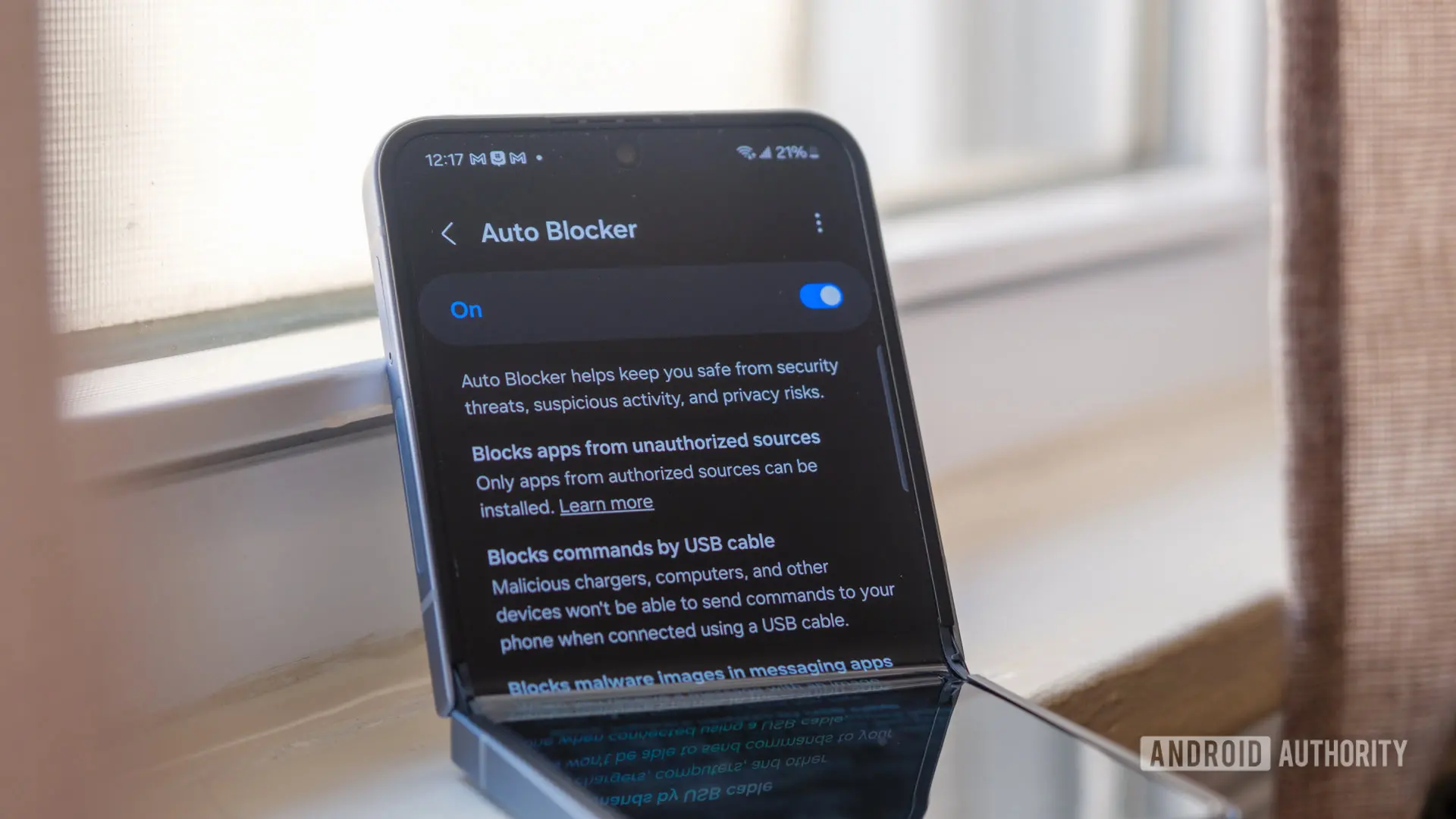
Samsung's One UI has long been a leader in mobile security customization, and the latest beta version of One UI 9 continues that tradition with significant enhancements to the Auto Blocker feature. Originally introduced as a security suite to protect users from malicious apps and unauthorized access, Auto Blocker has evolved with each iteration. In the One UI 9 beta, two major additions stand out: a Security Report that logs blocked app installations and a complete USB connection block under the Maximum restrictions mode.
What is Auto Blocker?
Auto Blocker is a security feature exclusive to Samsung Galaxy devices running One UI. It acts as a gatekeeper, preventing the installation of apps from unknown sources unless explicitly allowed. This helps protect users from malware, phishing attempts, and other threats that often originate from sideloaded apps. The feature also includes options to block commands sent over USB, restrict the use of certain permissions, and prevent unauthorized changes to the device.
In earlier versions, Auto Blocker offered basic protections, but Samsung has been refining it to provide more granular control. For instance, One UI 8.5 introduced a self-reactivation feature that automatically turns Auto Blocker back on after 30 minutes if a user disables it. Now, One UI 9 is taking the next logical step by adding transparency and even stricter USB controls.
New Security Report: See What's Blocked
The Security Report is a new section within Auto Blocker that gives users a clear history of attempted app installations that were blocked. This report covers app installations from unknown sources—sources other than the authorized Google Play Store and Galaxy Store. The report is divided into two views: a seven-day list and a monthly graphic summary.
In the seven-day view, users can see each specific attempt, including the date and time, and possibly the app name (though the article only mentions instances). The monthly view presents the data as a graph, making it easy to spot patterns or spikes in blocked attempts. This feature is particularly useful for users who want to monitor unauthorized attempts to install apps on their device, whether by themselves, family members, or potential attackers.
It's important to note that Android already has a built-in setting for "Install unknown apps" under Settings > Apps > Special access, which allows users to whitelist specific apps (like a file manager or custom app store) to install APKs. Samsung's Auto Blocker essentially duplicates this control but with a stricter default—when Auto Blocker is enabled, only the Play Store and Galaxy Store are allowed to install apps, regardless of the Android system settings. This added friction might seem redundant, but the new Security Report adds value by providing a log that the native Android settings lack.
Complete USB Blocking in Maximum Restrictions Mode
One of the more surprising changes in One UI 9's Auto Blocker is the behavior of USB connections under Maximum restrictions. In previous versions, like One UI 8.5, the standard Auto Blocker mode could block commands sent over USB (such as ADB commands), but Maximum restrictions did not impose any additional USB controls. That has changed in One UI 9: the Maximum restrictions mode now completely blocks USB connections. This means when a device is set to Maximum restrictions, connecting it to a computer via USB will not allow any data transfer or even charging? No, charging is likely still possible, but data and command interfaces are disabled.
This is a significant upgrade for users who want the highest level of security, especially in enterprise or high-risk environments. Blocking USB connections entirely prevents potential attacks that rely on physical access to the device, such as using USB debugging to install apps or extract data. Samsung had actually experimented with this setting in a 2024 beta, but it was removed before the stable release. Now it's back in One UI 9, likely after further refinement.
The decision to completely block USB connections may be controversial for some users who rely on USB for file transfers or development work. However, the Maximum restrictions mode is designed for those who prioritize security above all else. Users can still use USB when the standard Auto Blocker mode is enabled (if they configure it not to block USB commands), or they can disable Auto Blocker entirely if they need USB access.
How These Features Work Together
Auto Blocker's role in One UI is not just about blocking—it's about giving users visibility and control. The Security Report and USB blocking complement each other: the report shows what the system has blocked, and the USB block prevents a common attack vector that could bypass other protections. For example, if someone gains physical access to your phone, they might try to connect it to a computer and use ADB to force-install a malicious app. With Maximum restrictions enabled, that USB connection is immediately severed, so the attack fails.
Additionally, the Security Report allows users to review any attempts that were blocked, which can help them identify if a trusted app or service is being blocked incorrectly. In such cases, users can choose to temporarily disable Auto Blocker or adjust the USB settings to allow specific actions.
Background: Evolution of Auto Blocker
Auto Blocker was first introduced with One UI 6 in 2023 as part of Samsung's Knox security platform. Over the past few updates, Samsung has added features like blocking malicious activity, preventing unauthorized changes, and now, detailed reporting. The addition of a Security Report shows that Samsung is listening to user feedback—many users want to know what their security features are doing, not just that they're active.
Moreover, the USB blocking in Maximum restrictions addresses a longstanding gap. In high-security scenarios, such as in government or corporate deployments, physical attacks via USB are a real concern. By adopting a complete USB block, Samsung is aligning with the security practices of other platforms like iOS, which restrict USB access under certain settings (e.g., USB Restricted Mode in iOS).
Current Status and Expected Stable Release
Both the Security Report and the new USB blocking feature are currently live in the One UI 9 beta 1 for the Galaxy S26 series. It is highly likely that these features will make it to the stable release of One UI 9, which is expected to roll out later this year alongside the Galaxy S25 series. Samsung typically releases betas for its flagship devices first, then expands to older models. Users with Galaxy S23 and S24 series can expect to see these features in their respective One UI 9 updates later.
It's worth noting that the Auto Blocker feature itself is only available on devices running One UI 6 or later. Older devices that do not receive One UI 9 will not get these enhancements. However, Samsung has a good track record of updating its devices for several years, so most recent Galaxy phones should receive One UI 9.
User Experience and Potential Concerns
While these new features improve security, they may also introduce friction for some users. For instance, the Security Report might show frequent blocks if a user tries to sideload apps often. This could lead to frustration if the user is unaware that Auto Blocker is enabled. Samsung has tried to mitigate this by allowing users to temporarily disable Auto Blocker for 30 minutes, but the report can provide clarity on why installations fail.
Similarly, the USB block in Maximum restrictions could be a shock to users who plug in their phone and find it doesn't connect. Samsung should ensure that the feature is clearly communicated in the settings interface and that users can easily switch between modes. The current beta likely includes clear notifications explaining why USB connections are blocked.
Another consideration is the overlap with Android's native installation controls. By duplicating the "Install unknown apps" setting, Samsung's Auto Blocker creates two layers of restrictions. This could confuse users who are not familiar with the difference. However, the added security of a system-level block (which cannot be bypassed by app settings) is a net positive for security-conscious users.
Comparison with Competitors
Samsung is not the only Android manufacturer to offer enhanced security features. Google's Pixel phones have a "Security & Privacy" section with features like "Auto-block" for unknown apps, but they lack the detailed reporting that One UI now offers. In fact, Google's implementation relies on Play Protect, which scans apps and blocks known malware, but does not prevent installation from unknown sources as strictly as Auto Blocker does.
Other manufacturers like Xiaomi and OnePlus have similar features, but Samsung's Auto Blocker is more comprehensive due to its integration with Knox and the new Security Report. The USB blocking is also rare among Android devices; most allow at least charging and data transfer when unlocked. Samsung's Maximum restrictions mode essentially creates a kiosk-like security posture for the device.
How to Access These Features
If you have a Galaxy S26 series device enrolled in the One UI 9 beta, you can access the new Auto Blocker features by navigating to Settings > Security and privacy > Auto Blocker. Inside, you will see the Security Report section, which by default shows the last seven days of blocked attempts. You can switch to the Month tab for a graphical overview. Additionally, you can enable Maximum restrictions to enable the complete USB blocking. It is recommended to review the permissions and understand the implications before enabling Maximum restrictions, especially if you frequently use USB accessories.
For users on the stable channel, patience is required. The stable One UI 9 update is expected in late 2025, and it should include these features. Samsung has not yet announced a timeline, but based on past releases, the beta period typically lasts 2-3 months before public rollout curves.
Source: Android Authority News